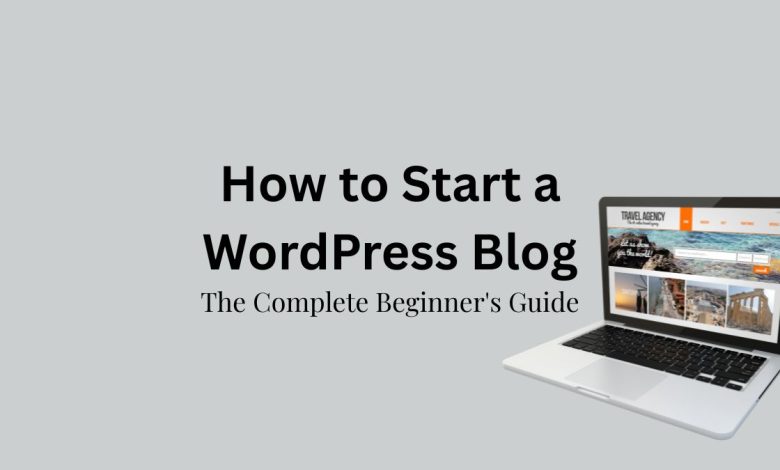
How to Start a WordPress Blog in 2026: The Complete Beginner’s Guide
Starting a blog has never been easier—or more rewarding.
In 2026, blogging is still one of the best ways to build an online business, share your expertise, grow a personal brand, and generate passive income. While artificial intelligence has changed how content is created, it hasn’t replaced the need for high-quality, helpful websites. In fact, AI tools can make bloggers more productive than ever when paired with a powerful platform like WordPress.
If you’re wondering how to start a WordPress blog in 2026, you’re in the right place.
This beginner-friendly guide walks you through every step, from choosing your niche and buying a domain name to publishing your first post and driving traffic with SEO and Pinterest.
Whether your goal is to earn affiliate income, display ads, sell digital products, or simply share your passion with the world, WordPress gives you the flexibility and control to build a blog that grows with you.
Quick Answer
How do you start a WordPress blog in 2026?
To start a WordPress blog in 2026:
- Choose a profitable niche.
- Register a domain name.
- Buy reliable WordPress hosting.
- Install WordPress.
- Select a lightweight theme.
- Install essential plugins.
- Create your key pages.
- Publish helpful SEO-optimized content.
- Promote your blog through Pinterest, Google, email, and social media.
- Monetize with ads, affiliate marketing, and digital products.
Why Choose WordPress in 2026?
Despite the rise of AI website builders, WordPress remains the world’s most popular content management system.
Here are a few reasons why millions of bloggers continue to choose WordPress:
- Full ownership of your website
- Thousands of themes and plugins
- Excellent SEO capabilities
- Easy content management
- Affordable hosting options
- Powerful ecommerce support
- Large community and tutorials
- Scalability as your blog grows
Unlike many hosted platforms, WordPress gives you complete control over your content and monetization.
Related: Is WordPress Dying? Here’s What’s Actually Happening in the AI Era
Step 1: Choose a Profitable Blogging Niche
One of the biggest mistakes beginners make is choosing a niche that’s too broad.
Instead of writing about “everything,” focus on one topic that combines your interests with audience demand.
Popular blog niches in 2026 include:
- Personal Finance
- Blogging Tips
- AI Tools
- Home Decor
- DIY Crafts
- Recipes
- Gardening
- Parenting
- Health and Wellness
- Travel
- Digital Marketing
- Productivity
Ask yourself:
- What topics do I enjoy?
- What problems can I solve?
- Is there enough search demand?
- Can I make money in this niche?
A focused niche makes it easier to build authority and attract loyal readers.
Step 2: Register Your Domain Name
Your domain name is your blog’s online identity.
Choose a name that is:
- Easy to remember
- Easy to spell
- Short and brandable
- Relevant to your niche
- Preferably a .com domain
Examples:
- BudgetMomLife.com
- SmartHomeIdeas.com
- AIContentGuide.com
Avoid numbers, hyphens, and difficult spellings.
Step 3: Choose Reliable WordPress Hosting
Your hosting provider stores your website files and makes them available online.
Look for hosting that offers:
- Fast loading speeds
- Free SSL certificate
- Automatic backups
- One-click WordPress installation
- Excellent customer support
- Strong security
As your traffic grows, you can upgrade to more powerful hosting plans.
Step 4: Install WordPress
Most hosting companies offer one-click WordPress installation.
Once installed, you’ll receive access to your WordPress dashboard.
From here you can:
- Create posts
- Publish pages
- Upload images
- Install plugins
- Customize your theme
- Manage comments
- Monitor users
Spend a little time exploring the dashboard before making major changes.
Step 5: Choose a Fast WordPress Theme
Your theme controls your website’s design.
A good theme should be:
- Mobile-friendly
- Lightweight
- Fast loading
- SEO optimized
- Easy to customize
Avoid installing themes packed with unnecessary features, as they can slow down your site.
Simple, clean designs often perform best for both users and search engines.
Step 6: Install Essential WordPress Plugins
Plugins add new features without requiring coding.
Recommended plugins include:
SEO
- Rank Math SEO
Security
- Wordfence Security
Speed
- LiteSpeed Cache or WP Rocket
Forms
- WPForms
Image Optimization
- ShortPixel
Backups
- UpdraftPlus
Only install plugins you actually need to keep your website fast and secure.
Step 7: Create Your Important Pages
Before publishing articles, create these essential pages:
- Home
- About
- Contact
- Privacy Policy
- Disclaimer
- Terms and Conditions
These pages improve trust and are often required for advertising and affiliate programs.
Related:
Step 8: Publish Helpful Content
Content is the foundation of every successful blog.
Instead of chasing trends, focus on solving real problems.
A high-quality article should include:
- Clear headings
- Helpful examples
- Original insights
- Images
- Internal links
- External references
- Strong calls to action
Aim to publish consistently rather than perfectly.
One excellent article each week is better than publishing several low-quality posts.
Step 9: Learn Basic SEO
Search engine optimization helps your content appear in Google.
Basic SEO includes:
- Keyword research
- Optimized titles
- Meta descriptions
- Internal linking
- Image optimization
- Fast page speed
- Mobile-friendly design
Rank Math makes on-page SEO much easier by guiding you through optimization as you write.
Step 10: Drive Traffic to Your Blog
Publishing content isn’t enough.
You also need visitors.
Traffic sources include:
Google Search
Optimize articles around search intent and long-tail keywords.
Pinterest remains one of the best traffic sources for lifestyle, DIY, recipes, home decor, and seasonal blogs.
Create multiple vertical pins for every article.
Related: How to Use Pinterest’s 2026 Content Calendar to Grow Blog Traffic
Email Marketing
Start building your email list from day one.
Offer a free checklist, template, or printable in exchange for email subscriptions.
Social Media
Share your articles on:
- Threads
- X
- YouTube Shorts
Repurpose your content into short videos and graphics to reach new audiences.
Related:
- How To Use Pinterest for Blogging (Business Setup + Proven Growth Strategy)
- How I Grew My Instagram to 5,000+ Followers in 27 Days (After Failing Many Times)
- My Facebook Growth Strategy for Bloggers in 2026: 1,400 Followers & Monetization in 55 Days
Step 11: Monetize Your WordPress Blog
There are several ways to earn money from blogging.
Affiliate Marketing
Recommend products you genuinely use and earn commissions on qualifying purchases.
Display Advertising
Join ad networks such as Google AdSense or premium publishers once your traffic grows.
Digital Products
Sell:
- Printables
- Templates
- Checklists
- eBooks
- Courses
- Presets
Sponsored Content
Brands may pay you to review products or publish sponsored articles.
Memberships
Offer exclusive content through paid memberships or communities.
Most successful bloggers combine multiple income streams.
Related: 7 Best Affiliate Networks for Beginners (You HAVE To Join)
Common Beginner Mistakes
Avoid these common pitfalls:
- Choosing a niche that’s too broad
- Ignoring SEO
- Publishing inconsistent content
- Installing too many plugins
- Buying expensive tools too early
- Expecting instant results
- Copying AI-generated content without editing
- Not building an email list
Blogging is a long-term business.
Consistency matters far more than perfection.
Frequently Asked Questions:
How much does it cost to start a WordPress blog?
Most beginners can launch a professional WordPress blog for under $100 per year, depending on hosting, domain registration, and optional premium tools.
Can I start a WordPress blog without coding?
Yes. Modern WordPress themes, page builders, and plugins allow you to build a professional website without writing code.
How long does it take to make money blogging?
Some bloggers earn their first income within a few months, while others take a year or longer. Success depends on content quality, consistency, SEO, niche selection, and marketing.
Is WordPress better than AI website builders?
For most bloggers, yes. AI tools are excellent for speeding up content creation and design, but WordPress offers greater flexibility, ownership, SEO capabilities, and monetization options.
Final Thoughts
Starting a WordPress blog in 2026 is one of the smartest investments you can make in your online future.
While AI has made blogging faster and more efficient, success still depends on creating valuable content that helps real people solve real problems. WordPress remains the ideal platform because it gives you complete ownership of your website, powerful SEO tools, unlimited customization, and the freedom to monetize your content however you choose.
Don’t wait for the perfect time to begin.
Choose your niche, register your domain, install WordPress, and publish your first article. Every successful blogger started with a single post.
The sooner you start, the sooner you’ll gain experience, build an audience, and create opportunities for long-term growth.
Remember, successful blogs aren’t built overnight—they’re built one helpful article at a time.