How To Use Pinterest for Blogging in 2026 (Business Setup + Proven Growth Strategy)
How to use Pinterest for blogging in 2026:
To use Pinterest for blogging in 2026, create a Pinterest Business account, optimize your profile with keywords, publish seasonal blog content 60–90 days early, design multiple fresh pins per post, and use Pinterest Analytics to refine your strategy. Pinterest works best when treated as a search engine, not social media.
Pinterest is no longer optional for bloggers in 2026.
It’s one of the most powerful long-term traffic platforms available — especially for bloggers who understand how to treat it like a search engine instead of social media.
With over five years of hands-on blogging experience, I’ve used Pinterest to drive consistent, scalable traffic and monetize through affiliate marketing, digital products, and display ads.
If you want predictable blog growth in 2026, this guide will walk you through:
- Setting up a Pinterest Business account the right way
- Creating high-converting pins
- Optimizing for Pinterest SEO
- Building a traffic-focused content strategy
- Using analytics to scale
- Monetizing strategically
But before diving in, if you’re brand new to blogging, start here:
👉 How to Start a Blog for Beginners in 2026 – Step-by-Step Guide
👉 How to Write Your First Blog Post: 10 Steps for Beginners
Now let’s build your Pinterest growth system.
Why Pinterest Matters for Bloggers in 2026
Unlike Instagram or TikTok, Pinterest content compounds.
Pins can drive traffic for months — even years.
Pinterest users are planners. They search for:
- “Vision board ideas 2026” in November
- “Summer outfits” in March
- “Holiday gift ideas” in September
That’s why Pinterest works so well for blogging.
It captures high-intent search traffic.
And that means:
More clicks.
More email subscribers.
More affiliate conversions.
Higher ad revenue in Q4.
Step 1: Set Up Your Pinterest Business Account (The Right Way)
Having a Pinterest business account is crucial for bloggers. It provides access to valuable marketing and monetization features that are not available with personal accounts.
A business account is essential in 2026.
It gives you access to:
- Pinterest Analytics
- Rich Pins
- Ad tools
- Website claiming
Advanced performance data
Here’s a step-by-step guide on How to set up Pinterest business account:
- Visit the Pinterest business website and click on “Join as a Business.”
- Fill in your business name, email address, and password. It’s important to select your age when you create an account. It helps to reach the right audience.
- Verify your website, which will help establish credibility and provide access to analytics.
- Customize your account by adding a profile picture, a bio that highlights your blog’s niche, and a link to your website.

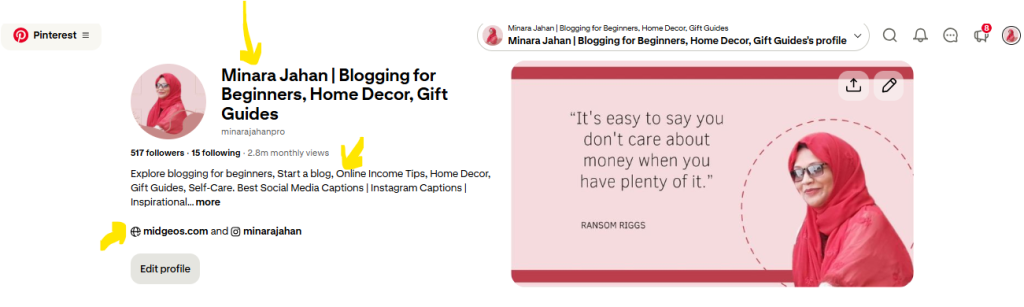
A Pinterest business account enables you to create rich pins, access Pinterest analytics, and utilize advertising tools. It also allows you to claim your website, which ensures that your content is attributed correctly.
Why Claiming Your Website Matters
When you claim your website:
- Your blog content is attributed to you
- Your logo appears on pins
- You gain deeper analytics insights
- Pinterest trusts your domain more
This is non-negotiable for serious bloggers
Step 2: Create High-Converting Pinterest Pins Using Canva
Canva is a powerful tool for designing visually appealing Pinterest pins. Here’s a step-by-step tutorial on creating eye-catching pins using Canva:
- Sign up for a Canva account or log in if you already have one.
- Choose the “Pinterest Graphic” template to get started. Canva offers Blank Pinterest Pin that you need to customize your own or premade templates.
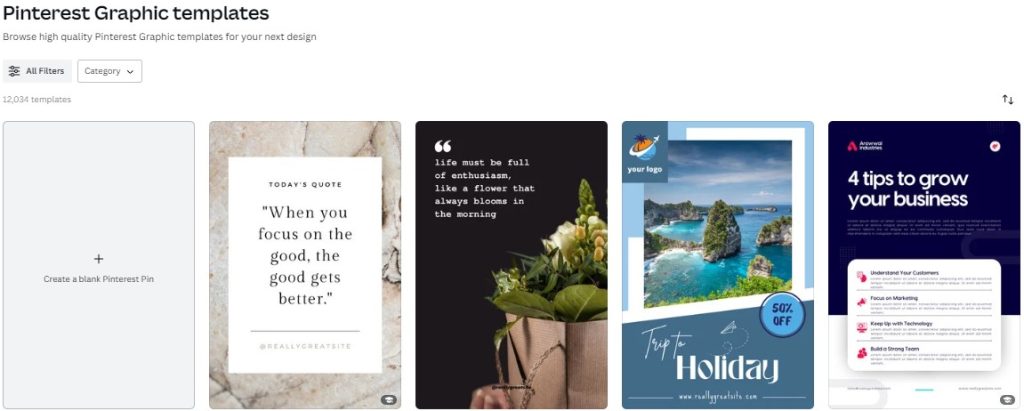
- Select a layout that suits your blog’s aesthetic and theme.
- Customize the pin by adding captivating images, compelling text, and your blog’s branding elements.
- Experiment with different fonts, colors, and graphic elements to make your pin stand out.
Canva’s user-friendly interface and diverse range of design options make it easy for bloggers to create stunning pins, even without prior graphic design experience.
Best Practices for 2026 Pin Design
- Use large, readable fonts
- Avoid clutter
- Focus on one clear benefit
- Add numbers (lists perform well)
- Use emotional triggers (“Step-by-Step,” “Proven,” “Beginner-Friendly”)
Create 5–10 variations per blog post.
Pinterest rewards fresh content.
Step 3: Optimize Pins for Pinterest SEO
To maximize the reach of your pins on Pinterest, it’s essential to optimize them for Pinterest’s algorithm. Here are some tips to help you optimize your pins:
- Add keyword-rich titles, descriptions, and alt text: Incorporate relevant keywords that accurately describe your content to increase its visibility on Pinterest’s search results.
- Select the right boards: Choose boards that are relevant to your pin’s topic to ensure they reaches the right audience.
- Schedule pins effectively: Use a scheduling Pinterest free tool to schedule your pins at peak times when your target audience is most active on Pinterest.
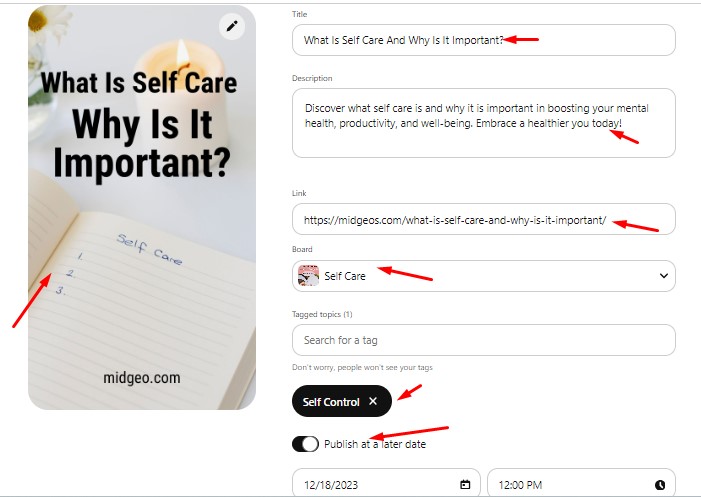
By incorporating these optimization techniques, you can significantly enhance the visibility of your pins and improve their chances of appearing in users’ feeds.
How to Find Keywords
- Use Pinterest search auto-suggestions
- Analyze related search bubbles
- Study top-ranking pins in your niche
- Use Pinterest Trends tool
If users aren’t searching for it — don’t build a full post around it.
Step 4: Build a Pinterest-Focused Blog Content Strategy
Random posting doesn’t scale.
You need a seasonal strategy.
Follow This Framework:
- Research seasonal trends.
- Publish 60–90 days before peak.
- Create multiple fresh pins.
- Refresh content yearly.
Example Publishing Timeline
Want January traffic? Publish in October.
Want Summer traffic? Publish in March.
Want Holiday traffic? Publish in September.
Pinterest content needs time to mature.
Step 5: Use Pinterest Analytics to Scale
Analytics turns guessing into growth.
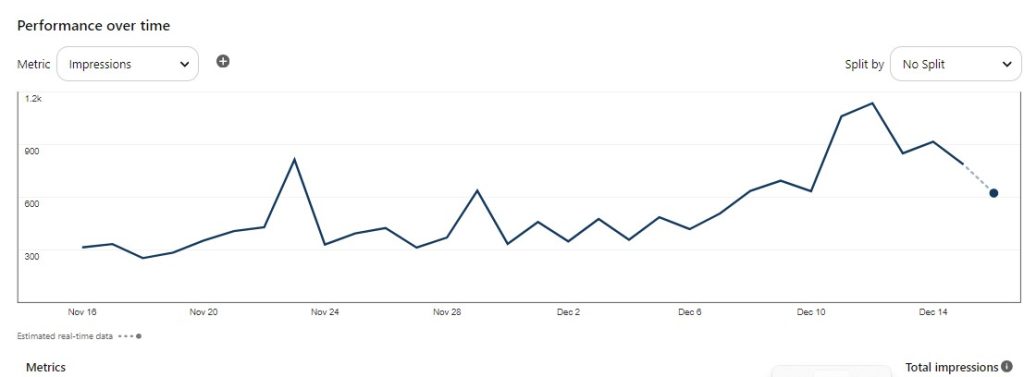
Inside your Pinterest Business dashboard, track:
- Impressions
- Outbound clicks
- Saves
- Engagement rate
What to Look For:
- Which pins drive the most clicks?
- Which keywords perform best?
- Which designs get saved the most?
Then:
- Create more content around winning topics
- Design similar pin variations
- Double down on high-performing keywords
Scaling happens when you repeat what works.
Step 6: Engage Strategically (Without Wasting Time)
Engagement still matters — but don’t overdo it.
Focus on:
- Replying to comments
- Collaborating with niche bloggers
- Saving high-quality relevant pins
- Joining strategic group boards (only if active)
Pinterest rewards quality, not spammy activity.
Step 7: Monetization Strategies for Pinterest Bloggers
Traffic is powerful.
But strategic traffic builds income.
1. Affiliate Marketing
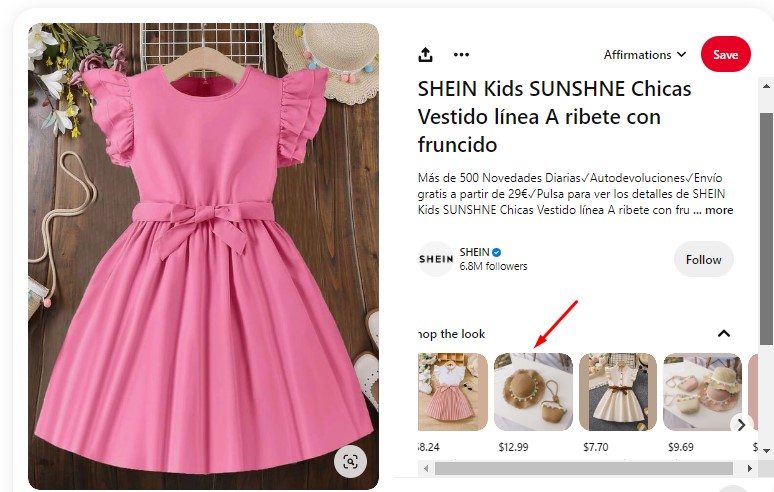
Create:
- Product comparison posts
- Resource lists
- Gift guides
- Blogging tool roundups
Design pins that clearly show the benefit.
2. Digital Products
Pinterest is perfect for:
- Planners
- Templates
- Printables
- Blogging systems
Launch around seasonal peaks.
3. Display Ads
Traffic spikes in Q4 are especially valuable.
Plan early to maximize high RPM months.
2026 Pinterest Growth Checklist
Here’s your simplified action plan:
✔ Create a Pinterest Business account
✔ Claim your website
✔ Optimize your profile with keywords
✔ Research seasonal trends
✔ Publish 90 days early
✔ Create 5–10 fresh pins per post
✔ Track analytics monthly
✔ Refresh top posts yearly
✔ Align content with monetization
Consistency + strategy = scalable traffic.
🔥 Ready to Turn Pinterest Into a Traffic & Income Engine?
If you’re serious about growing your blog in 2026, don’t just read this guide — implement it.
Start by:
✔ Setting up your business account properly
✔ Building a seasonal content plan
✔ Publishing 60–90 days early
✔ Creating multiple fresh pins per post
✔ Tracking analytics monthly
And if you want deeper Pinterest systems, traffic frameworks, and step-by-step strategies, explore more advanced tutorials on MidGeos.com.
That’s where I share:
- Real Pinterest growth case studies
- Traffic scaling systems
- Monetization frameworks
- Seasonal planning strategies
Because Pinterest isn’t luck.
It’s a system.
And when you build the right system — it grows.
Frequently Asked Questions About Using Pinterest for Blogging in 2026
1. Is Pinterest still worth it for bloggers in 2026?
Yes — Pinterest is still one of the most powerful long-term traffic sources for bloggers in 2026.
Unlike social media platforms where content disappears quickly, Pinterest functions as a visual search engine. Pins can drive traffic for months or even years when properly optimized.
If you publish seasonal, keyword-focused content and follow a consistent pinning strategy, Pinterest can become a predictable and scalable traffic source.
2. How often should I post on Pinterest as a blogger?
Quality matters more than quantity.
In 2026, it’s better to:
- Publish high-quality blog posts
- Create 5–10 fresh pin variations per post
- Pin consistently (3–10 pins per day is enough for most bloggers)
The key is fresh designs and keyword optimization — not spammy posting.
3. How long does it take to get traffic from Pinterest?
Pinterest is not instant.
Most bloggers begin seeing noticeable traffic growth within 2–3 months if they:
- Publish 60–90 days before seasonal peaks
- Use keyword-rich titles and descriptions
- Create multiple fresh pins
- Stay consistent
Pinterest rewards patience and consistency.
4. Do I need a Pinterest Business account for blogging?
Yes.
A Pinterest Business account is essential because it gives you access to:
- Pinterest Analytics
- Rich Pins
- Website claiming
- Advertising tools
- Performance tracking
Without a business account, you cannot properly measure or scale your Pinterest strategy.
5. How do bloggers make money from Pinterest traffic?
Pinterest traffic can be monetized in several ways:
- Display ads (higher RPMs during Q4)
- Affiliate marketing
- Selling digital products (planners, templates, courses)
- Promoting services
The most successful bloggers align seasonal traffic spikes with monetization opportunities.
Pinterest brings the traffic — your strategy turns it into revenue.
- Content Writing for Beginners: How to Write Blog Posts That Rank and Convert (2026 Guide)
- How to Start a Blog for Beginners in 2026 (Step-by-Step Guide From Real Experience)
- How to Use Pinterest’s 2026 Content Calendar to Grow Blog Traffic
- How To Use Pinterest for Blogging in 2026 (Business Setup + Proven Growth Strategy)
- SEO for Tech Bloggers in 2026: Strategies for Google + AI Search Engines
Also, don’t forget to follow us on Pinterest for more blogging and Pinterest tips. Stay connected to stay ahead in the world of blogging.